Subscribe to our newsletter and enjoy up to 15% OFF on every product and exclusive offers.

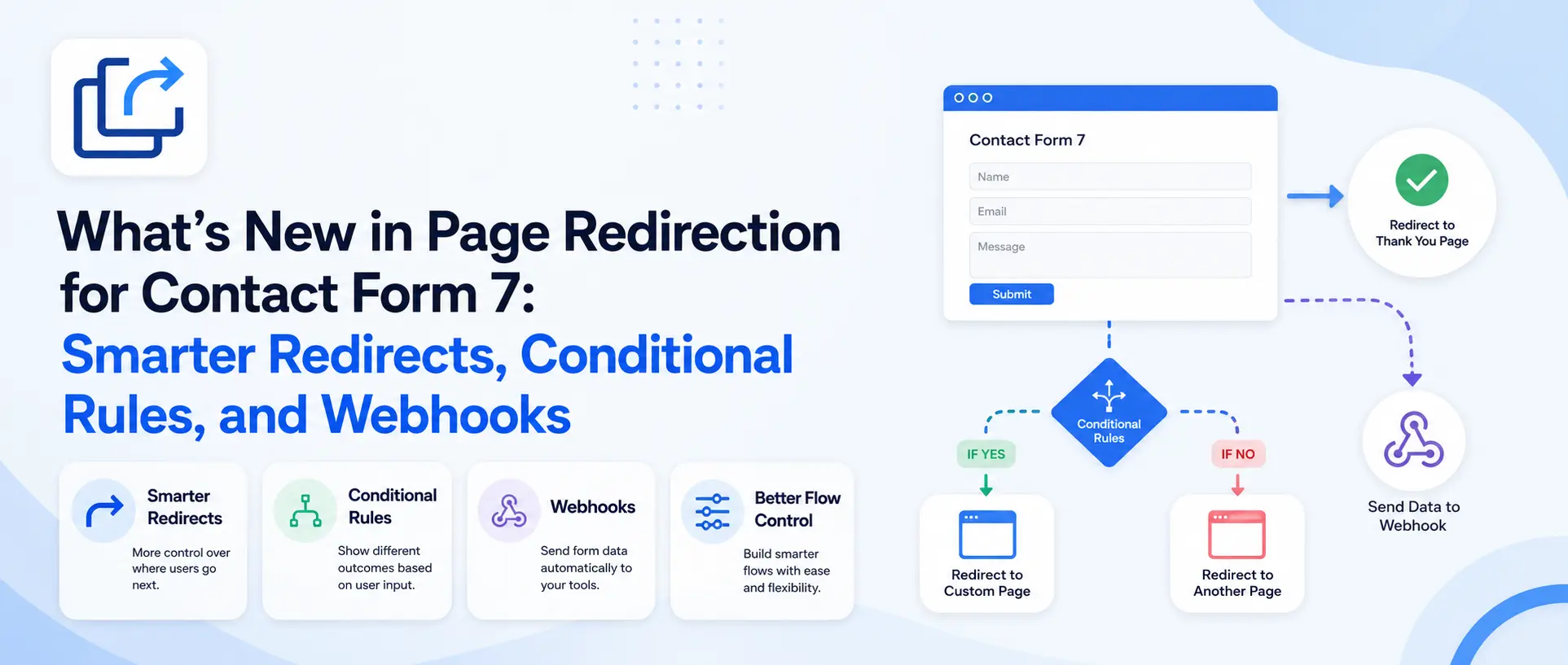
Page Redirection for Contact Form 7 controls what happens after someone submits your form. The latest update adds three different redirect types, timed delays, URL query parameter passing, conditional rules that route different visitors to different pages, and real-time webhooks to Slack, Google Sheets, and GoHighLevel. Every feature is free.
Contact Form 7 is brilliant at collecting submissions and does almost nothing with the moment right after. Someone fills out your form, sees a small confirmation line, and then nothing. No thank-you page, no handoff to your CRM, no next step. That moment, the few seconds after someone hits submit, is one of the most valuable in your whole funnel, and it usually goes to waste.
This update to Page Redirection for Contact Form 7 is all about that moment. We have added new ways to redirect people, ways to pass their data along, rules to send different people to different places, and real-time connections to the tools you already run on. Here is everything new and, more importantly, what you can actually do with it.
Until now, a redirect meant one thing: send everyone to the same page. This update gives you three distinct options, so the redirect fits what you are actually trying to do.
The standard redirect is the classic you already know. Someone submits, and they land on a thank-you page, an offer, or anywhere else you choose, cleanly and fast. This is what you want for conversion tracking, since sending people to a dedicated thank-you page is how you register a goal in Google Analytics.
The Form Post redirect is the powerful one. Instead of just sending the visitor to the next page, it sends their form data along with them, as POST data. That means you can hand a submission straight to a CRM, a landing-page builder, or any system that expects the submitted values to arrive with the visitor. It turns your Contact Form 7 form into a genuine front door for other tools.
And open in a new tab does exactly what it says: the destination opens in a separate tab while your visitor stays put on your page. This is perfect when you do not want to interrupt what someone is doing, sending them to a booking link or kicking off a download without pulling them away from your content.
Here is a small change that makes a real difference to how your forms feel. You can now set a delay before the redirect fires, so your confirmation message actually has time to be read before the page changes. Instant redirects can feel jarring, like the site swallowed the submission and moved on.
During that short wait, you can show a friendly toast notification, a small “thanks, redirecting you now” cue, so nothing ever feels frozen or broken. It is the difference between a redirect that feels abrupt and one that feels considered.
Sometimes the next tool in your stack needs to know what the visitor entered. This update lets you pass form values through the destination URL as query parameters, with a single toggle to send everything or the option to pick just the specific fields you want (say, only their email and chosen plan, not their whole message).
The genuinely useful part is that values are encoded automatically. Spaces, special characters, and international text will not break the destination link, which is exactly the kind of thing that quietly ruins a redirect when you do it by hand. This makes the plugin work smoothly with URL-driven tools like Calendly, HubSpot forms, and Google Analytics. You can pre-fill a booking form with someone’s name, drop them into a Stripe checkout with the right plan already selected, or tag a submission for analytics, all automatically.
This is the feature that turns a redirect into something smarter. Not every submission deserves the same follow-up, and now it does not have to get one.
With conditional rules, the destination depends on what the visitor actually filled in. Someone who picks “Enterprise” can go to a sales-call booking page, while someone who picks “Just browsing” goes to a resource library. A support request can route somewhere different from a sales enquiry. You build as many rules as you need, based on any field in your form, and they run top to bottom; the first match wins. If nothing matches, your default redirect quietly handles it, so no one ever falls through a gap.
You can match on any field using Equals, Does Not Equal, Contains, Does Not Contain, Is Empty, or Is Not Empty, which covers just about any routing logic you would want. It is the difference between treating every lead the same and sending each one exactly where they will get the most relevant next step.
A form submission is only useful if it reaches the place you actually work. This update forwards every submission to your favorite platforms in real time, the moment it happens, not on some delayed sync.
The built-in webhooks cover three of the tools teams live in most. Send instant lead alerts to the right Slack channel so nothing gets missed. Log every submission into a Google Sheet for simple, shareable reporting. And sync new leads straight into your GoHighLevel pipelines and workflows. Set it once, and your form quietly feeds the rest of your stack without anyone copying and pasting a thing.
Need to connect a tool that is not built in, like HubSpot or Mailchimp? The plugin includes developer filters, so a developer can wire up any service with a couple of lines of code. The three built-in options need no code at all.
Taken together, these updates change what Page Redirection for Contact Form 7 is for. It is no longer just “send people somewhere after they submit.” It is a way to route each visitor intelligently, hand their data to the tools that need it, and connect a simple Contact Form 7 form to your entire marketing and sales stack, without writing code.
And every feature is free. There is no Pro tier and nothing locked behind an upgrade, so the conditional rules and webhooks that do the heavy lifting are available to everyone from the first install.
If you are already using the plugin, update to version 2.0 to get the new redirect types, delays, and query parameters. The conditional rules and webhooks are where it really comes alive, so if lead routing or connecting your tools matters to you, they are worth exploring.
You can get Page Redirection for Contact Form 7 on KrishaStore, and read the full setup guide in our documentation.
Have a tool you would love to see us integrate next, or a question about setting up a rule? Let us know. We are always listening.
How do I redirect to a page after a Contact Form 7 submission?
Install Page Redirection for Contact Form 7, open your form, go to the Submission Settings tab, and choose the page, custom post type, or external URL to redirect to. No code is required, and you can set a different redirect for each form.
Can Contact Form 7 redirect different users to different pages?
Yes. With conditional rules, you can route visitors based on what they submitted. For example, an “Enterprise” selection can go to a sales booking page while “Just browsing” goes to a resource library. Rules run top to bottom and the first match wins, with a default redirect as a fallback.
Can I pass Contact Form 7 form data to the redirect URL?
Yes. You can pass all fields or selected fields to the destination as URL query parameters, and values are encoded automatically so special characters and spaces do not break the link. This works well with tools like Calendly, Stripe payment links, and Google Analytics.
What is the difference between a standard redirect and a Form Post redirect?
A standard redirect is normal browser navigation to the destination page. A Form Post redirect sends the submitted fields as POST data along with the visitor, which is ideal when a CRM or checkout expects a real form submission. Both can also open in a new tab.
Which tools can Contact Form 7 send submissions to?
Slack, Google Sheets, and GoHighLevel are built in and set up with no code. Developers can connect other services such as HubSpot or Mailchimp using the plugin’s WordPress filters.
Is Page Redirection for Contact Form 7 free?
Yes. Every feature, including conditional rules and webhooks, is included free. There is no Pro tier or paid upgrade.
Does the plugin slow down my site?
No. Scripts load only on pages that contain a Contact Form 7 form, so the rest of your site is untouched.


