
You don't have javascript enabled. Good luck with that. Page Redirection for CF7 – Contact Form 7 Redirect Free

Subscribe to our newsletter and enjoy up to 15% OFF on every product and exclusive offers.

Page Redirection For CF7

Downloads: 2467 | Active installations: 100 | Updated: August 25, 2026
Redirect Contact Form 7 visitors anywhere after they submit, and connect every submission to the tools you already use. No code required.

Key Features

  • Redirect to any page, custom post type, or external URL, set per form.
  • Route different visitors to different pages with conditional rules.
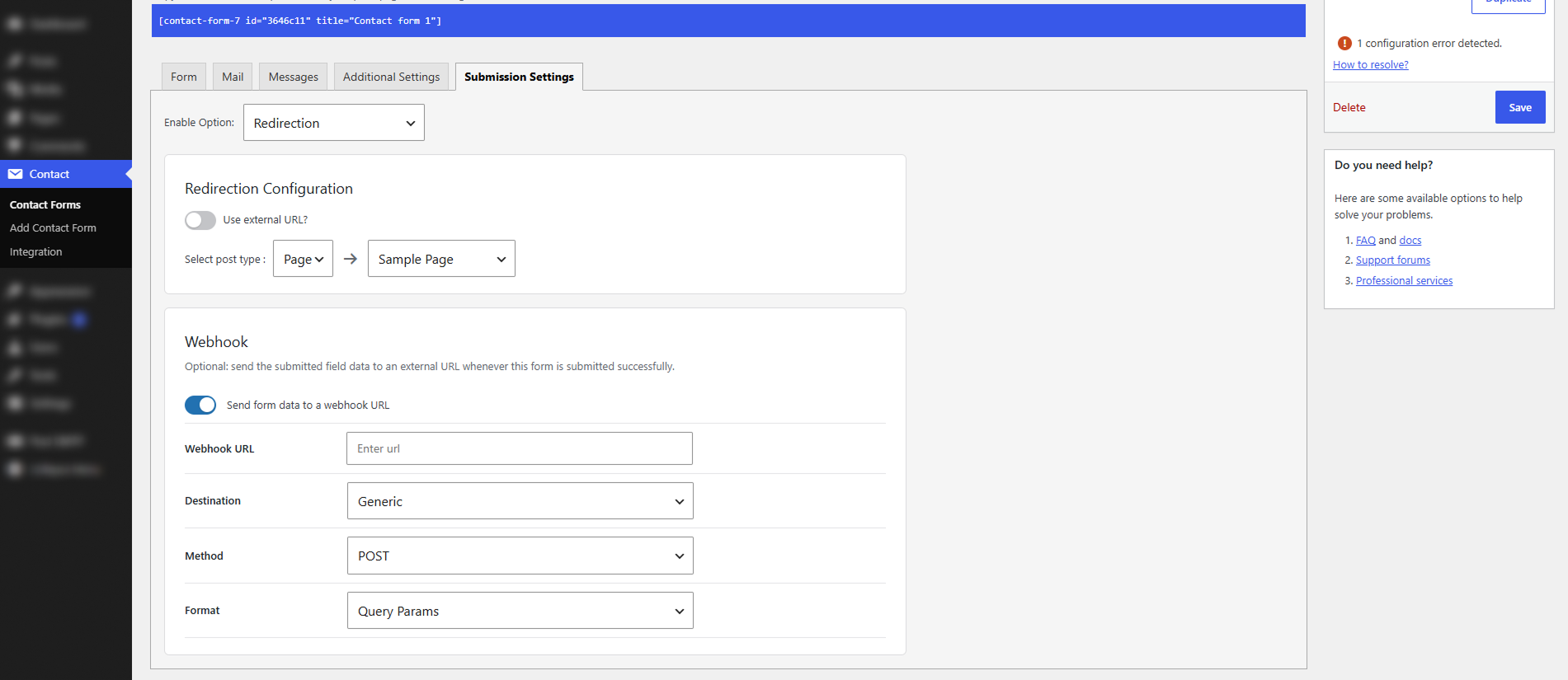
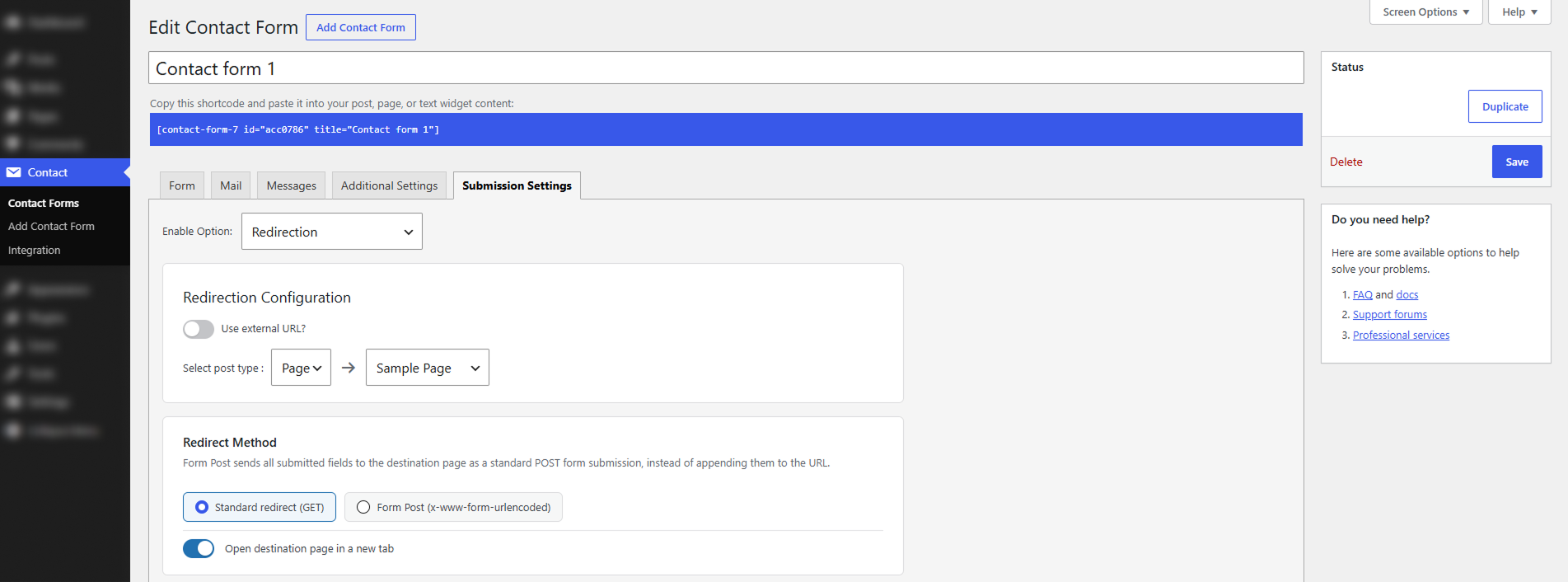
  • Choose how visitors are redirected: standard redirect, form POST, or open in a new tab.
  • Push submissions to Slack, Google Sheets, GoHighLevel, and more in real time.
Download

Product Description

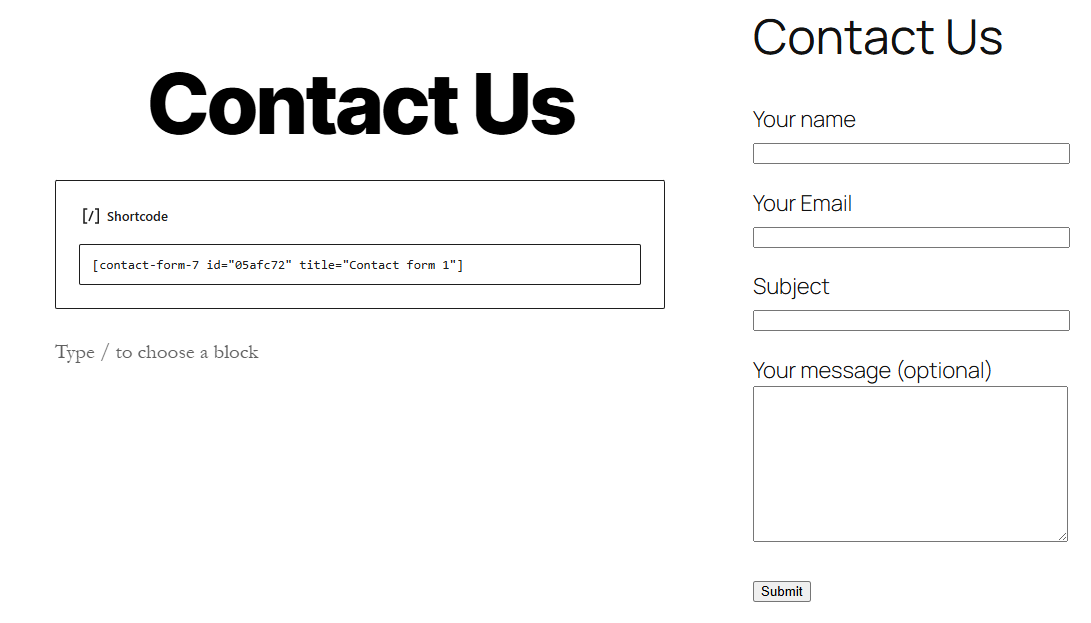
Page Redirection for Contact Form 7 decides what happens after someone submits your form. Out of the box, Contact Form 7 can only redirect if you hardcode a URL, so most site owners are left with a plain confirmation message and nothing more. This plugin turns that dead-end into a proper next step, all from the form editor you already use.

Send visitors to a thank-you page, an offer, a checkout, or a booking link. Route different answers to different destinations. Add a delay so your confirmation lands before they leave. Show a popup or toast instead of redirecting. Or forward every submission straight to Slack, Google Sheets, or your CRM the moment it arrives. It’s all point-and-click, it works with your existing forms, and every feature is free.

Product Information Table
Name:Page Redirection for Contact Form 7
Version:2.0
Author:KrishaStore
Requires WordPress:6.3 or higher
Requires PHP:8.1 or higher
Requires Plugin:Contact Form 7


Installation Steps:

  • In your WordPress Dashboard go to “Plugins” -> “Add Plugin”.
  • Search for “Page Redirection for CF7”.
  • Install the plugin by pressing the “Install” button.
  • Activate the plugin by pressing the “Activate” button.
  • Make sure Contact Form 7 is installed and active. This plugin requires it.
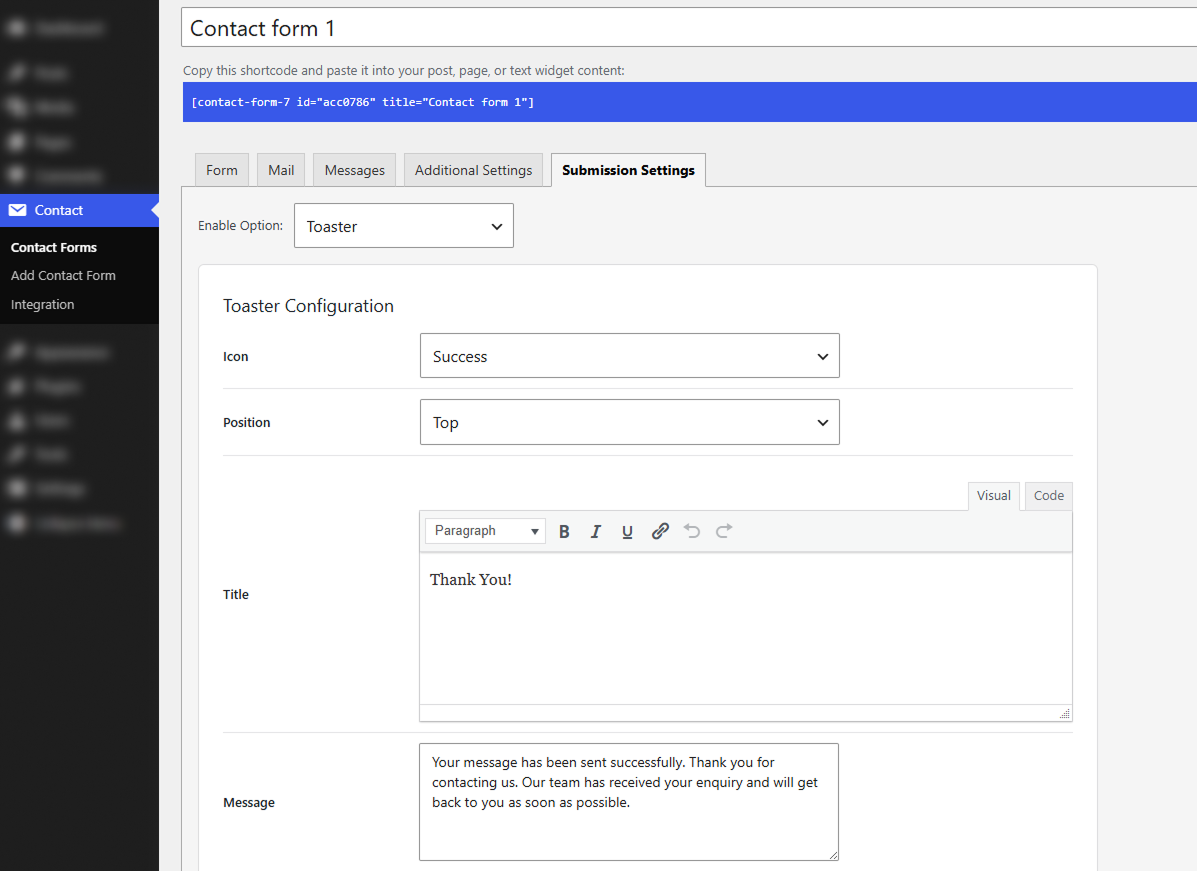
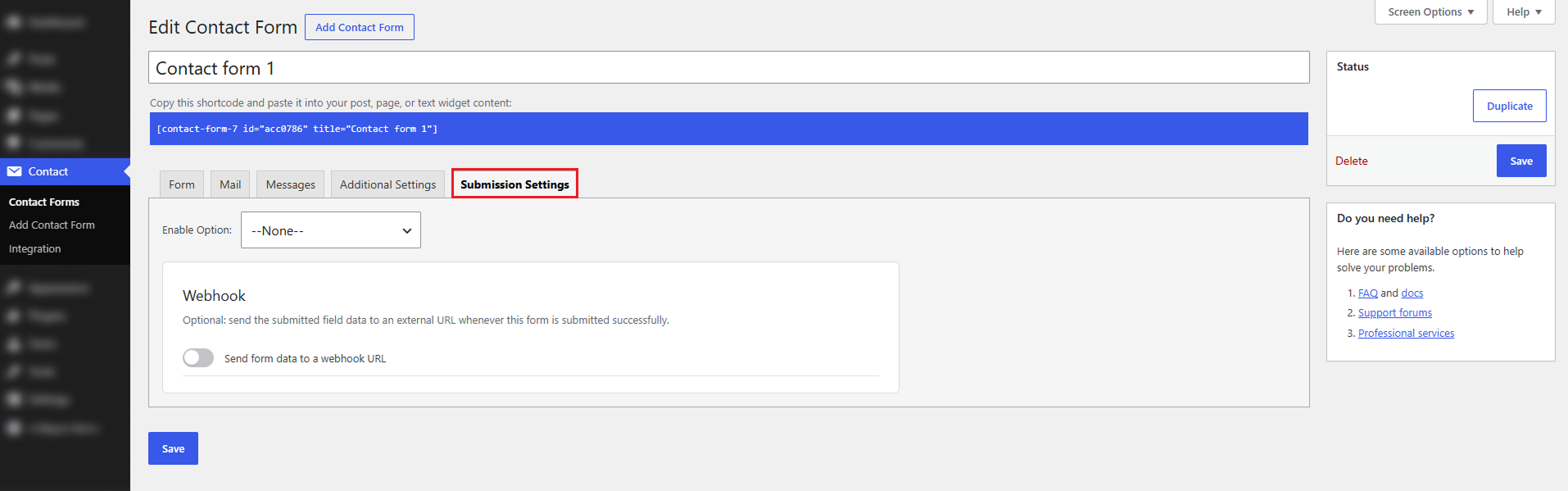
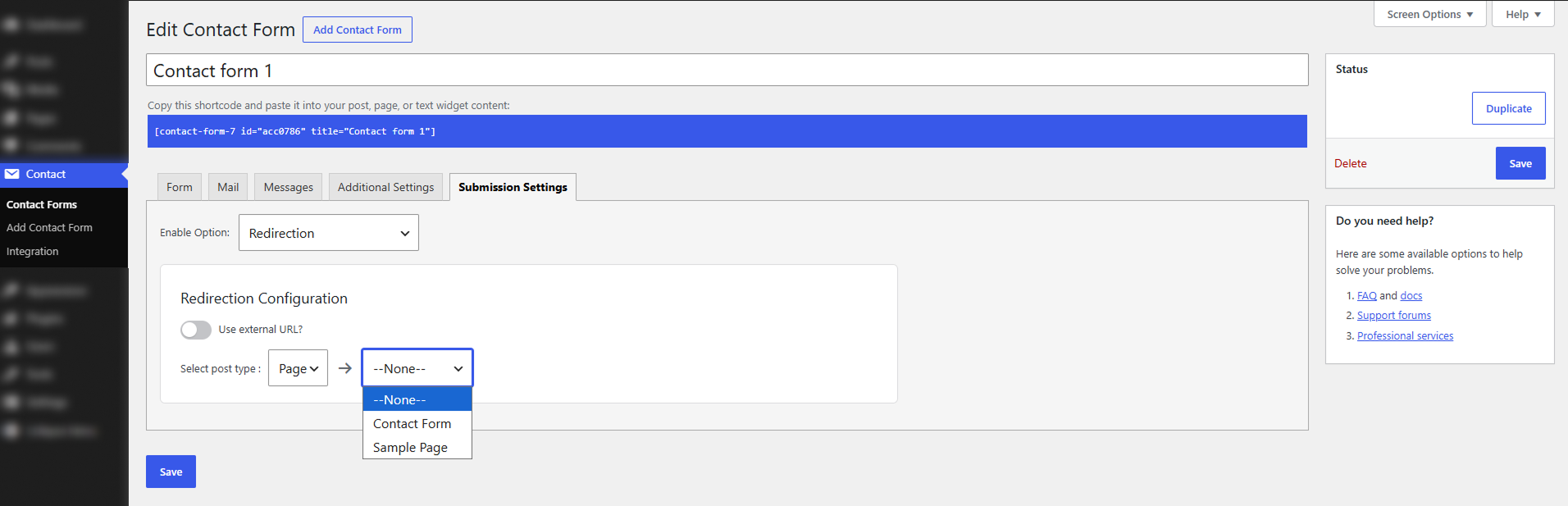
  • Open any form under Contact -> Contact Forms, click the Submission Settings tab, choose your options, and save.

Features

  •  Enable/disable redirection per form, with its own redirect URL/page
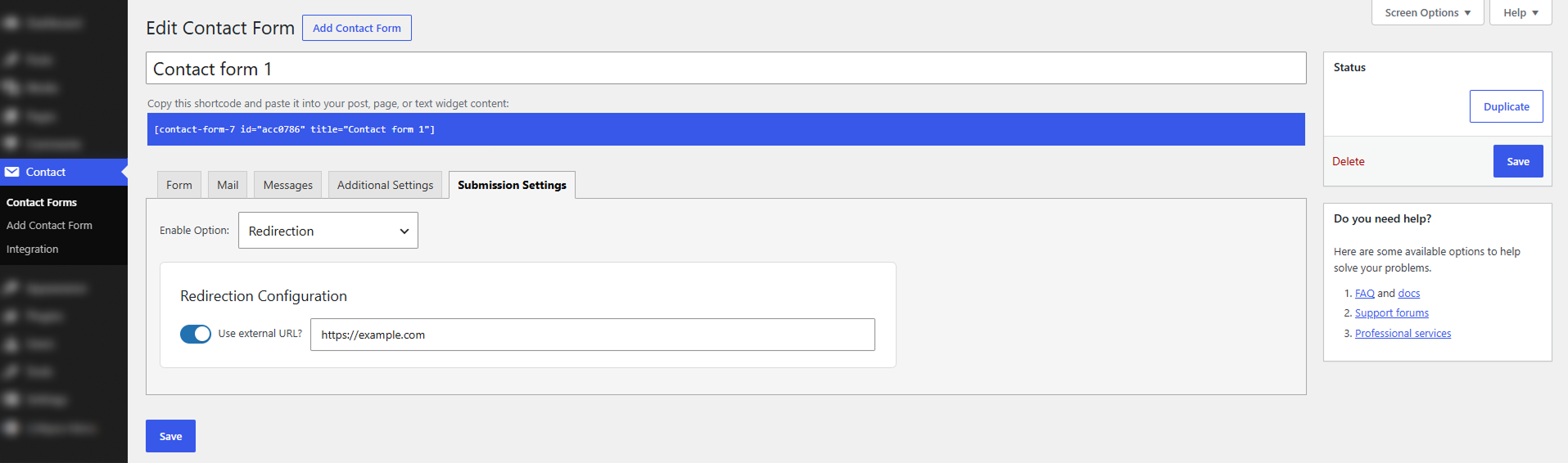
  •  Redirect to a Page, Custom Post Type, or external URL, including campaign links with UTM parameters
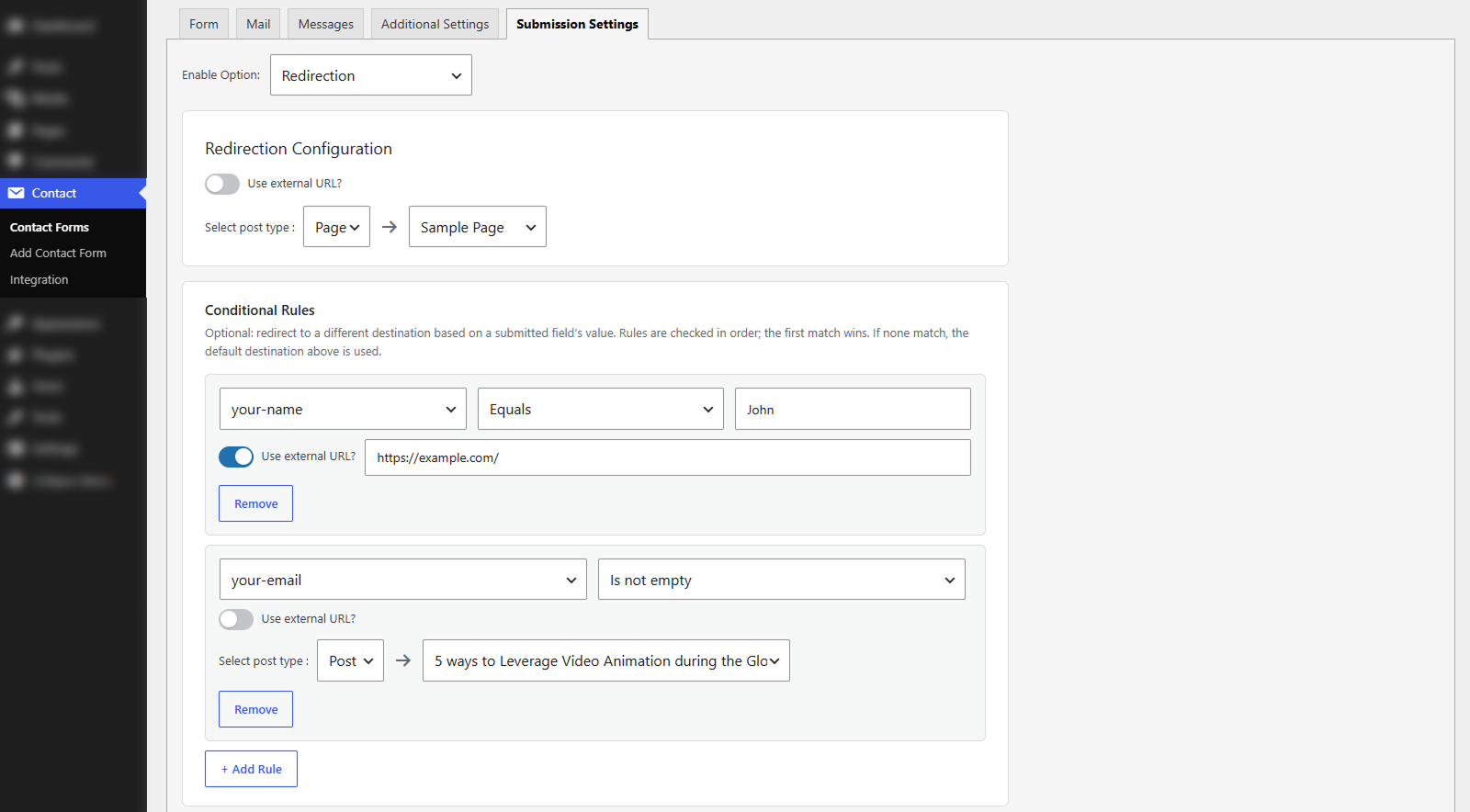
  •  Conditional rules to redirect to a different destination based on a submitted field’s value
  •  Redirect Method choice: Standard redirect (GET) or Form Post (POST), with an open-in-a-new-tab option for both
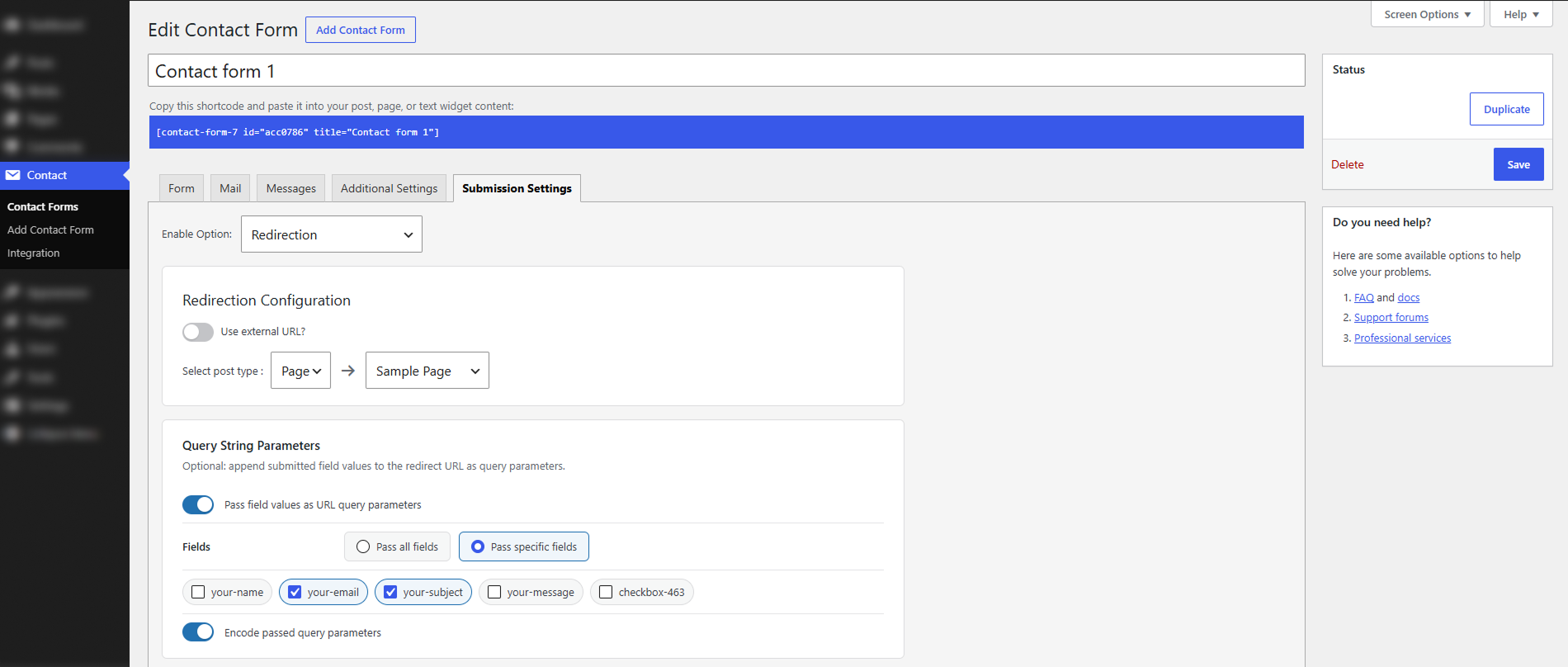
  •  Query String Parameters to pass all or selected fields to the destination, with automatic encoding
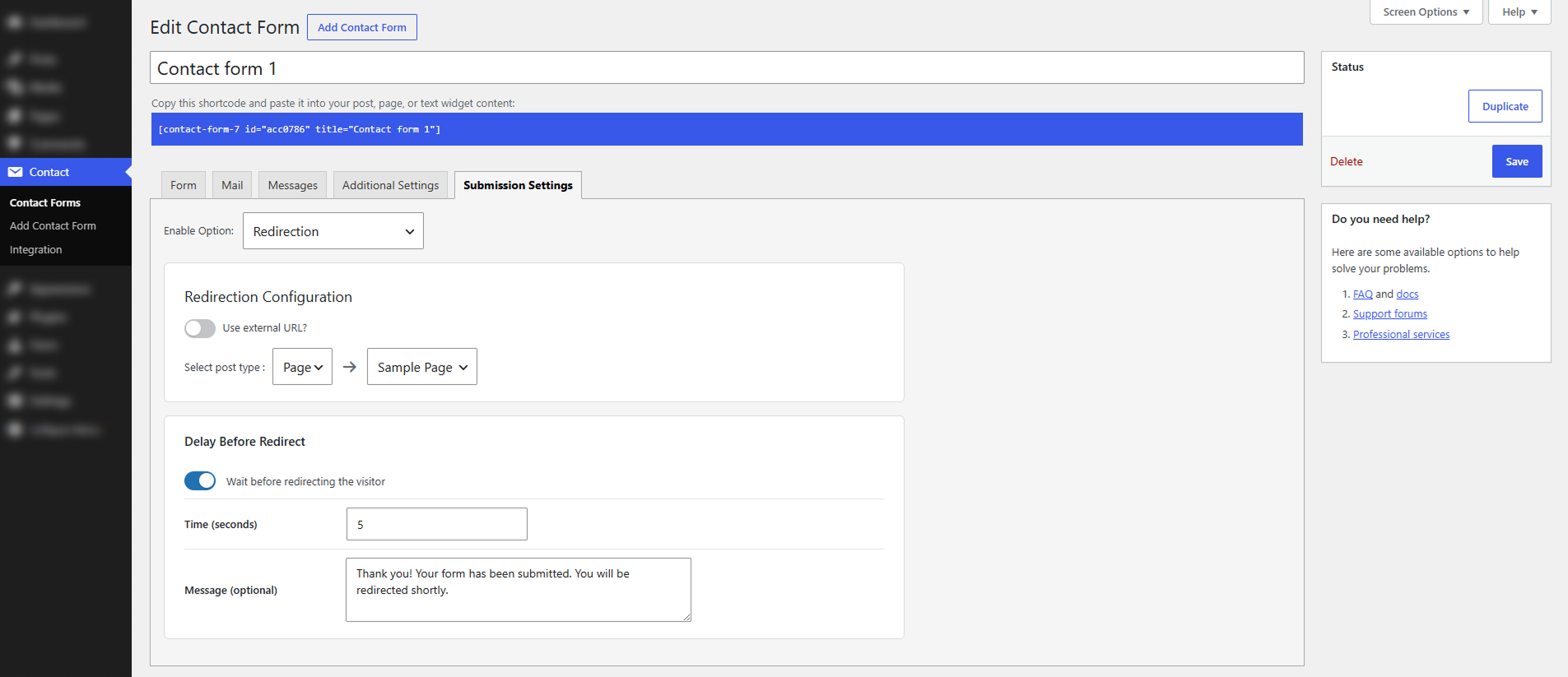
  •  Optional delay before redirect, with a message shown to the visitor while they wait
  •  Built-in webhooks for Google Sheets, GoHighLevel, and Slack, plus developer filters for custom services
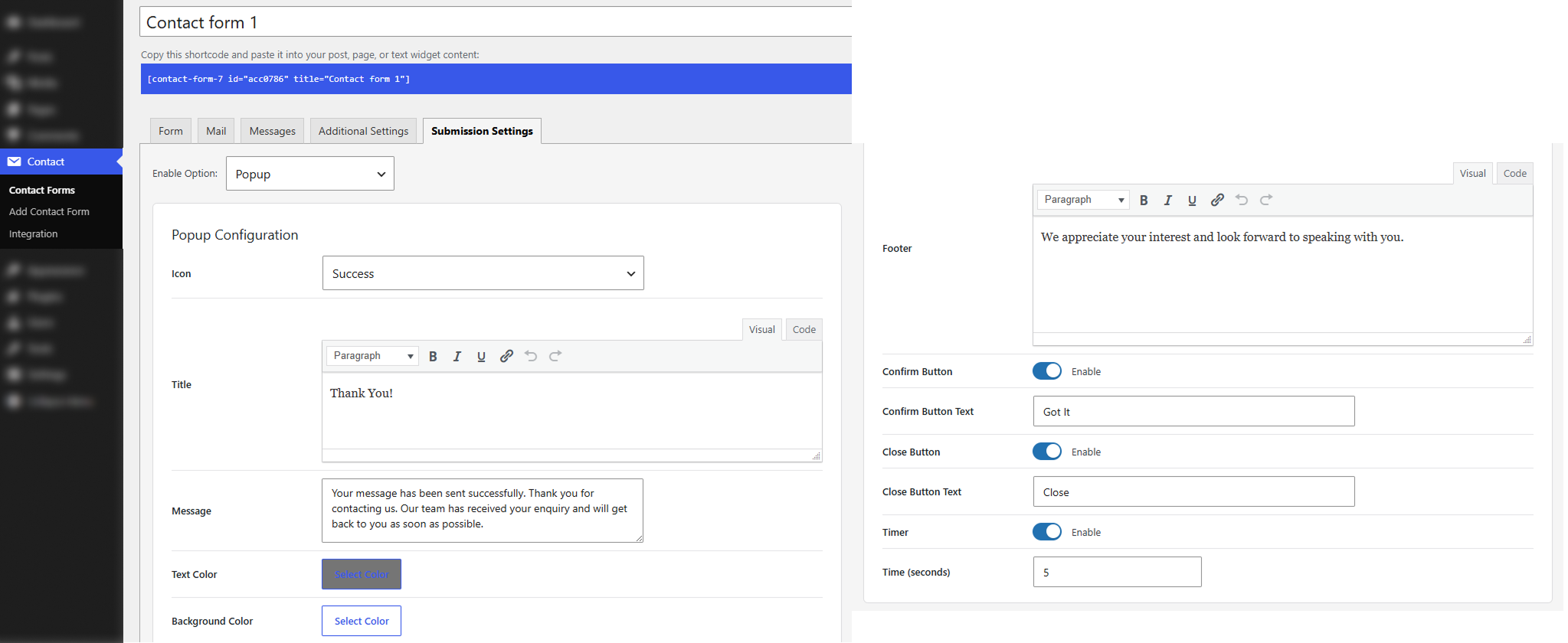
  •  Customizable popup or toast notification shown after form submission instead of (or before) redirecting

FAQ’s

  • No. Scripts load only on pages that actually contain a Contact Form 7 form, using DOM events. The rest of your site is untouched.

  • No. Every feature, redirection, conditional rules, popups, toasts, and the built-in webhooks, is set up right inside the Contact Form 7 form editor. Code is only needed if a developer wants to add a webhook service that isn’t built in.

  • No. Page Redirection for Contact Form 7 has no Pro tier. Every feature is included free.

  • Yes. Conditional rules let you check any field and route visitors accordingly. For example, Enterprise inquiries go to a sales booking page while Startup visitors go to self-serve signup. If nothing matches, your default redirect handles it.

  • Standard redirect is normal browser navigation. Form Post sends the fields as POST data, keeping the destination URL clean, ideal when a CRM or checkout expects a real form submission. You can also open the destination in a new tab with either method.

  • Slack, Google Sheets, and GoHighLevel are built in and set up with no code. Developers can add others, such as HubSpot or Mailchimp, using two WordPress filters.

  • No. It’s deprecated by Contact Form 7, which now uses DOM events for redirection. This plugin follows that modern approach.

Reviews

There are no reviews yet.

Only logged in customers who have purchased this product may leave a review.

You May Also Like

  • support
    24x7 Support
  • lower-price
    Lower Price
  • quality-products
    Quality Products
  • easy-buying
    Easy Buying