You don't have javascript enabled. Good luck with that. Notify Subscribers – Auto Email Alerts for New WP Posts

Subscribe to our newsletter and enjoy up to 15% OFF on every product and exclusive offers.

Notify Subscribers

Downloads: 15 | Updated: June 10, 2026

Key Features

  • Automatic notifications on post publish
  • Contact Form 7 subscriber opt-in integration
  • Google reCAPTCHA v3 spam protection
  • Import and export subscriber list via CSV
  • 12 months standard support

Product Description

Every piece of content you publish deserves to reach the people who already said they want to hear from you. Most of the time it does not, because visitors who enjoyed your last post have no reliable way to know something new is live.

Notify Subscribers fixes that with one simple mechanism: when you publish, your subscribers get an email. Automatic. No newsletter to write. No campaign to schedule. Just a direct notification that brings your audience back every time you publish something worth reading.

What Notify Subscribers Does

The plugin sits quietly in your WordPress admin and watches for new published content. When a post goes live, it builds an email notification using your configured template and sends it to everyone on your active subscriber list. Subscribers click through. Visitors return. Your repeat traffic grows with your content, not in spite of irregular publishing.

Contact Form 7 Integration for capturing subscribers from existing forms, Google reCAPTCHA v3 to keep bots off your list, customizable email templates that match your brand, manual subscriber management for importing existing contacts, and full CSV import/export.

Everything is built into the plugin. No separate add-ons. No third-party platform subscription required. The plugin sends notifications on its own using WordPress’s built-in email system. If you want to sync your subscriber list with Mailchimp, that option is available too. Just connect your Mailchimp API key and list ID in the settings. A Mailchimp account is only needed if you choose to use that integration.

Installation Steps:

  • Method 1: Install from KrishaStore (recommended)
  • Purchase Notify Subscribers from KrishaStore and download the plugin ZIP file from your account.
  • Go to your WordPress admin, then Plugins > Add New.
  • Click Upload Plugin and choose the ZIP file you downloaded.
  • Hit Install Now, then Activate once it finishes.
  • Head to Notify Subscribers to set up the plugin.
  • Grab your license key from your KrishaStore account and enter it under Notify Subscribers > License.
  • Method 2: Install via FTP
  • Download the plugin ZIP from your KrishaStore account.
  • Unzip it to get the plugin folder.
  • Upload that folder to /wp-content/plugins/ on your server.
  • Back in your WordPress admin, go to Plugins and activate Notify Subscribers.
  • Open Notify Subscribers to complete setup, then add your license key under Notify Subscribers > License.
Features

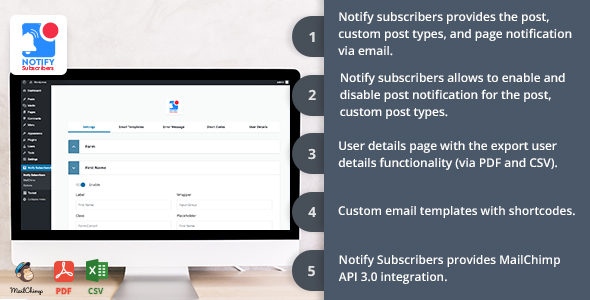
  • Automatic email notifications sent on post publish.
  • Configure which post types trigger notifications.
  • Supports posts, pages, custom post types, and WooCommerce products.
  • Send test notification before going live.
  • Frontend newsletter form via shortcode.
  • Contact Form 7 integration add opt-in checkbox to any CF7 form.
  • Manually add subscribers from the WordPress admin.
  • Import subscribers via CSV upload.
  • Export full subscriber list to CSV/PDF.
  • Subscriber management dashboard with search and filter.
  • Active / unsubscribed status for each subscriber.
  • One-click unsubscribe link in every notification email.
  • GDPR compliant.
  • Google reCAPTCHA v3 integration invisible, no challenge shown to real users.
  • Bot submissions blocked before entering the subscriber list.
  • Customisable email subject line.
  • Customisable header, body text, button, colours, and footer.
  • Set a default template for all post types.
  • Email preview in admin before sending.
  • HTML email output compatible with major email clients.
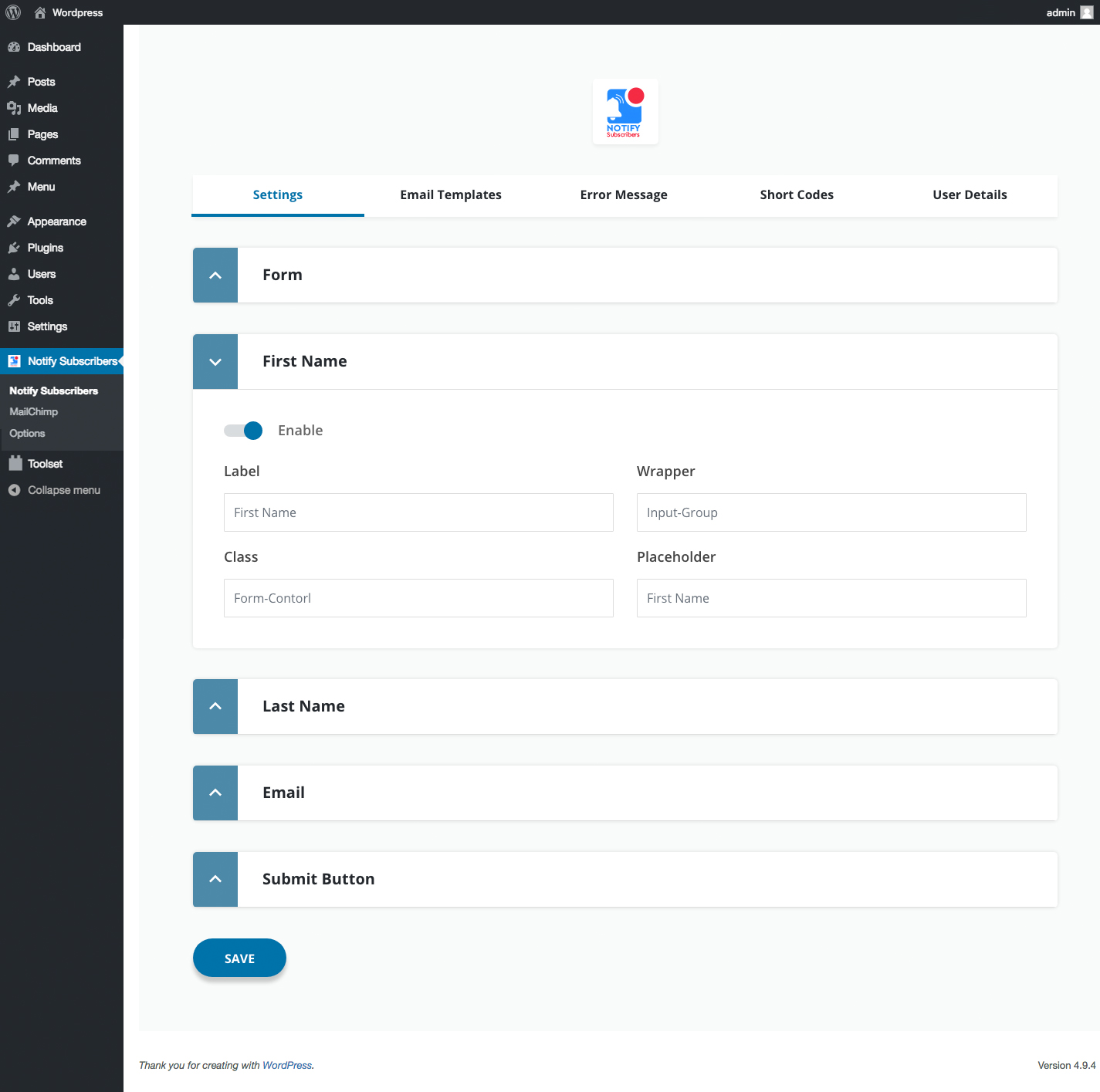
  • Clean settings panel in the WordPress admin.
  • Enable/disable notifications per post type.
  • From name and from email configuration.
  • Compatible with Classic Editor and Gutenberg block editor.
  • Multisite compatible.

Software Required

  • Plugin Version: 5.0
  • WordPress Compatible: 6.6 or later
  • PHP Compatible: 8.1 or later
  • Contact Form 7 Compatible: 5.0 or later
  • WooCommerce Compatible: Yes
  • Multisite Compatible: Yes
  • GDPR Compatible: Yes (one-click unsubscribe on every email)
  • Languages: English (translation-ready)
  • Support: Email support included with all plans
  • Documentation: Documentation

FAQ’s

  • Not to get started. The plugin sends notification and promotional emails through WordPress’s built-in wp_mail() function, so it works out of the box without any external service.

    That said, if your subscriber list grows beyond a few hundred people, we strongly recommend setting up an SMTP service like SendGrid, Mailgun, or Amazon SES. Sending bulk email through wp_mail() alone can hurt your deliverability and put your domain reputation at risk. Any standard WordPress SMTP plugin handles the connection.

    The plugin also includes Mailchimp integration. Connect your API key and list ID, and your subscribers sync to Mailchimp automatically. From there you can use Mailchimp for promotional campaigns and bulk sends while the plugin continues handling your post notification emails on its own.

  • Enable CF7 integration in the plugin settings, then drop the shortcode [notify_subscribers_checkbox] into any CF7 form. The checkbox shows up in the form using the label you set in the plugin. When someone ticks it and submits, they are added to your list automatically. That is all there is to it.

  • Yes. Go to Subscribers > Import, upload your CSV, and the plugin handles the rest. It checks each row, adds the valid entries, skips any duplicates, and flags invalid email addresses. When it is done, you get a summary showing exactly what came in and what was skipped.

  • Every notification email includes a one-click unsubscribe link in the footer. Clicking it sets the subscriber’s status to unsubscribed immediately. They receive no further notifications. No login required. No form to fill in. The process is instant and GDPR compliant.

  • Yes. Under Notification Settings in the plugin, you choose which post types fire a notification. Posts and pages are there by default. Any custom post types on your site show up in the same list. For WooCommerce, turn on product notifications, and your subscribers will hear about new products as soon as they are published.

  • Deactivating it just pauses notifications. Your subscriber data stays in the database untouched. If you uninstall through the WordPress admin, the plugin removes everything it added: subscriber lists, settings, and notification history. Nothing else on your site is affected.

  • The yearly plan at $29/year is right for most users. It includes all features, one year of updates, and email support for a single site. The Lifetime plan at $79 is the better value for developers and agencies managing multiple sites or anyone who wants to purchase it. Once, without thinking about renewals. Both plans include all features—there is no feature difference between the two.

Changelog

  • 26 June 2026
    "- Update plugin with new UI Design"
    "- Add Google recaptcha"
    "- Add promotional newsletter"
  • 25 December 2025
    "- Bugfix and compatibility with 6.9 WP version"
  • 22 August 2020
    "- Fixed: WordPress 5.5 Gutenberg block error."
  • 21 April 2020
    "- Added: Schedule post notification support."
  • 26 December 2018
    "- Added: Gutenberg block."
  • 18 July 2018
    "- Added: Custom thank you page relative path.
    - Added: MailChimp API v-3.0 integration."
  • 21 June 2018
    "- Fixed: Sendgrid and WordPress 5.2 compatible issue"
  • 04 April 2018
    "- Fixed: Compatible with Gutenberg metabox"
  • 22 March 2018
    "- Added: Export users detail with CSV and PDF.
    - Added: Enable and disable notification for the custom and standard post types."
  • 18 November 2017
    "- Initialize release."

Reviews

There are no reviews yet.

Only logged in customers who have purchased this product may leave a review.

You May Also Like

  • support
    24x7 Support
  • lower-price
    Lower Price
  • quality-products
    Quality Products
  • easy-buying
    Easy Buying